Cases
One set of scans, several documents: a case collects the documents of one deal, reads every value once and generates the whole pack together.
One deal, several documents
A deal is rarely one piece of paper. A lease comes with a handover act and often an invoice, and all three are filled from the same handful of scans. A case is that deal: you upload the documents once, and every template in the case reads the same values.
Define the pack once
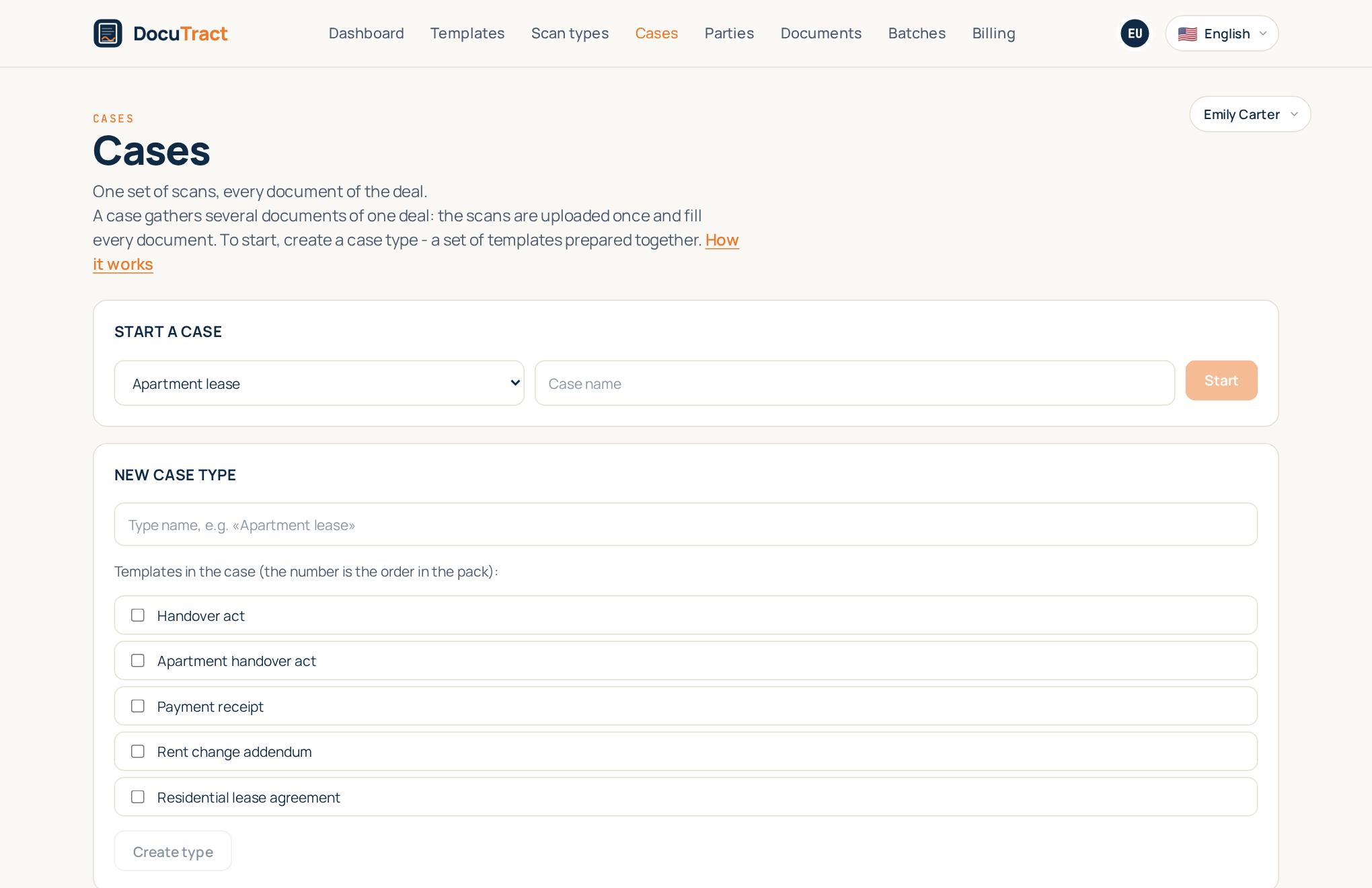
A case type is the set of templates you always prepare together, in the order you prepare them: "residential lease" is the lease, the act and the invoice. You define it once, and starting a case after that is two fields: which pack, and what to call this deal.
You create a case type right there, in Cases, in the New case type block: enter a name, tick the templates that make up the pack and press Create type. The number next to a ticked template is its place in the pack - the order documents are shown and generated in. The new type appears in Start a case at once.
Upload once for the whole pack
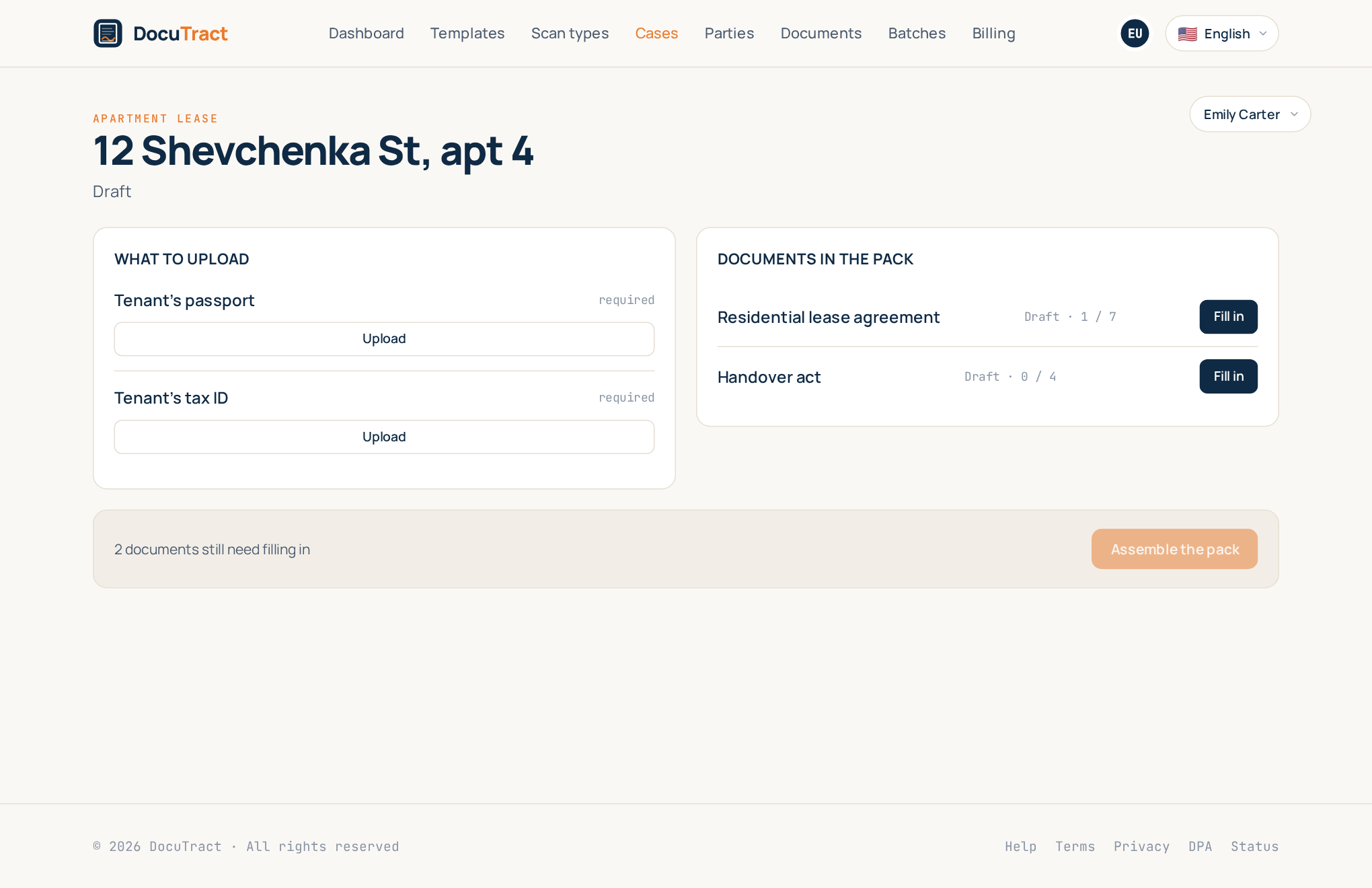
The case asks for the union of what its templates need, by kind of document. If all three templates want a property title extract, the case asks for it once. Send it once and every document that needed it has it.
Each value is read once and carries its source, exactly as before. Correct a name on one document and the correction travels to the others, unless that other document already carries a correction of its own, which is left alone. That is the rule in one line: a value belongs to the case, and a deliberate difference stays a deliberate difference.
When no scans are needed
Not every template reads scans: an application or an order is often quicker to fill in by hand. Then What to upload says no scans are needed, and every document under Documents in the pack has a Fill in button. It opens the usual filling of that very document: enter the data, check it and get the finished document. Only values read from scans travel between the documents of a case: fields typed by hand are filled in each document separately.
Assemble the pack
Assemble the pack generates the documents whose data is already in and waiting to be checked. Before you press it the screen says how many that is, because it is also what it costs: a pack of four is four generations. Next to it you see how many documents still need filling in: the button leaves those alone. If none is filled in yet, DocuTract says so instead of quietly doing nothing. If your plan does not have that many left, nothing is generated and you are told the two numbers, rather than ending up with half a pack.
The finished documents download one by one, or as a single zip.
The case status
A case's status follows the statuses of its documents, so it always matches what is going on:
- Draft — nothing has happened yet;
- Collecting documents — a scan is being uploaded or read;
- Review the data — at least one document has its data in, and the pack is not complete yet;
- Pack ready — every document is generated;
- Something failed — one of the documents could not be prepared.
Each file in the pack's archive is named after its template and document number, for example
zaiava-na-vidpustku-doc-26-0001.docx, so the files are easy to tell apart.
What did not change
A document is still a document: it opens on its own screen, its values are corrected there, and a template filled on its own works exactly as it did. Every document lives in a case, including the ones you start alone, but a case of one document behaves precisely like a document.
Related
- Check that the documents of a case agree with each other: Cross checks.
- Reuse the same landlord or employer across cases: The parties directory.
- Many deals at once: Batch generation.