Cross checks between documents
Define checks that compare values across the documents of a case, and find out about a mismatch before you generate, not after somebody signs.
Catch the mismatch before signing
Because DocuTract records where every value came from, it can compare values against each other. When two documents of a case disagree, you are told before you generate anything, not after somebody signs.
What gets checked
You define the checks yourself, on a template or on a case type. Five kinds cover what actually goes wrong on paperwork:
- Values agree. The name on the extract against the name on the certificate, the company in the header against the company in the signature block. Comparison is generous where it should be: "Ivanov O. P." and "Ivanov Oleksandr Petrovych" are one person, and «LLC "Romashka"» and «LLC Romashka» are one company.
- A date is not too early. An extract that expires before the lease ends.
- A total adds up. The sum of the lines against the total, within a tolerance you set.
- A number is in range. A rent of zero, a term of four hundred months.
- A field is filled, and, if you ask for it, filled from a document rather than typed.
Warn or block
Each check is a warning or a block.
- A warning appears on the review screen and stops nothing.
- A block does exactly what it says: the document is not generated until somebody accepts the disagreement.
What you see
On the review screen, above the values: what disagrees, both values side by side, and which field and page each came from.
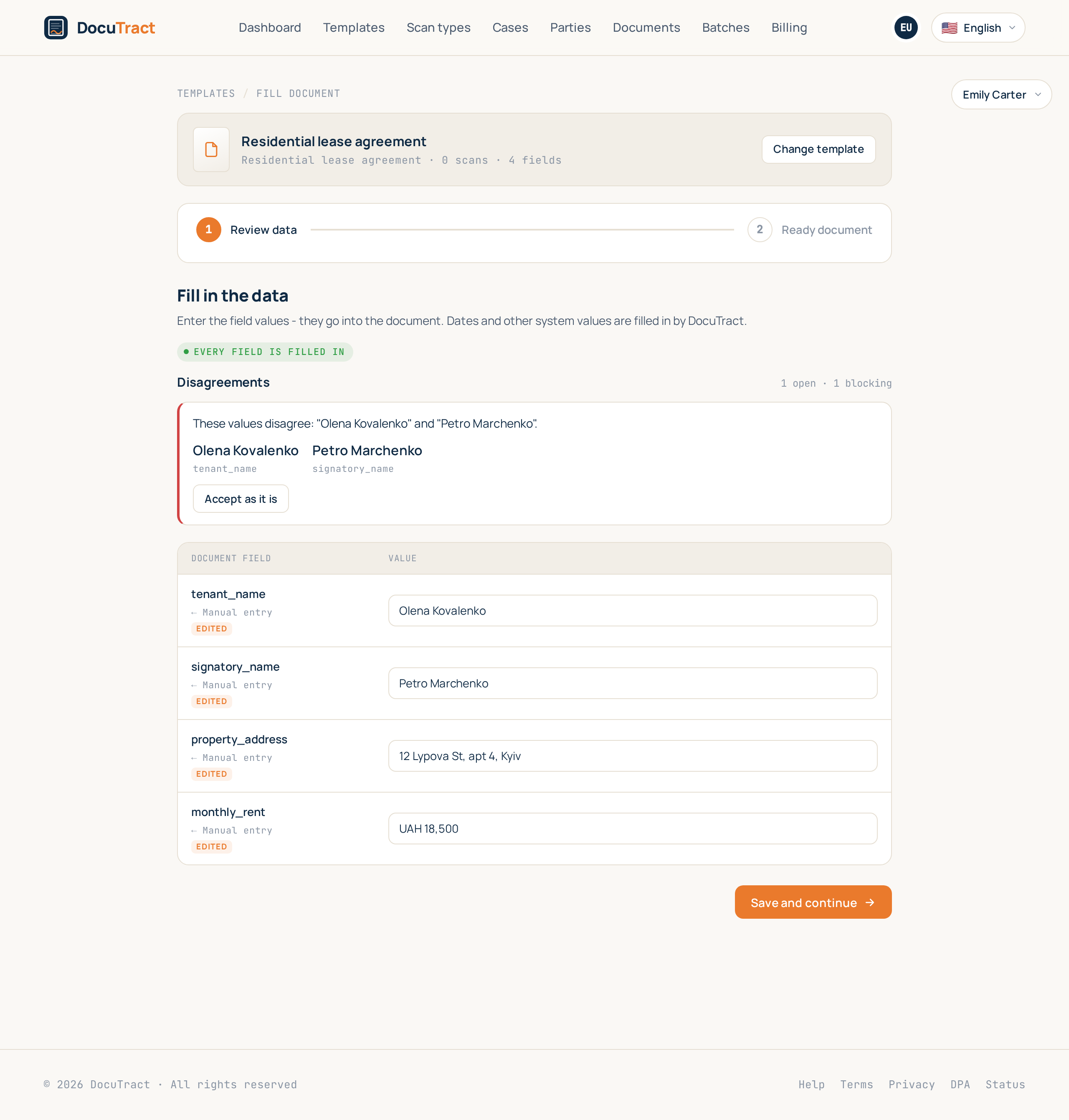
One control, Accept as it is, is there for the case where the papers are right and the check is simply being careful.
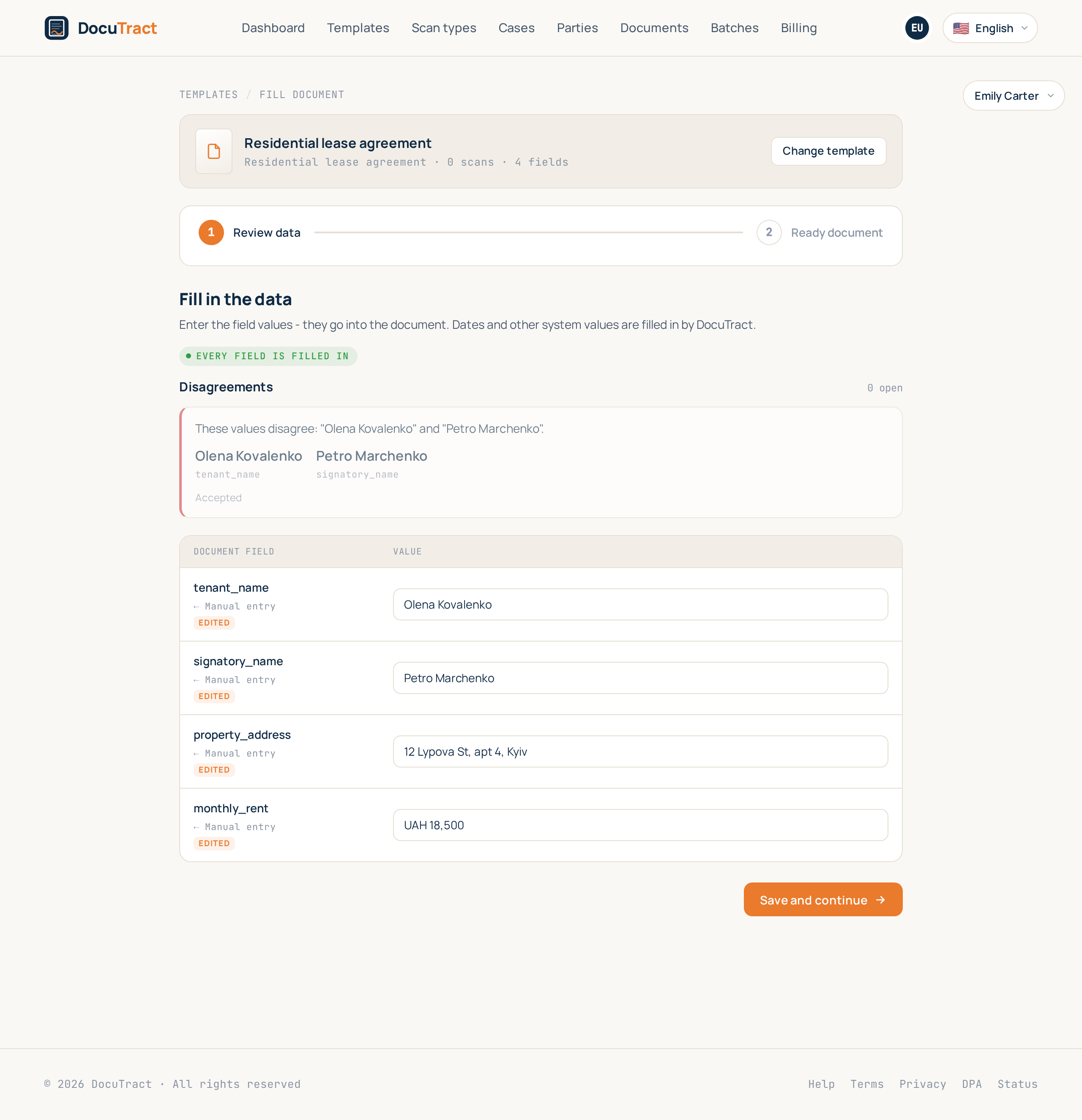
Accepting is recorded with your name and the moment. It is pinned to the exact values that disagreed, so if one of them changes afterwards, the check runs again and asks again. That is deliberate: you accepted those values, not the rule.
When the checks run
After a scan is read, after a value is corrected, and across the whole case each time, because a value that lands in one document can resolve a disagreement in another. You do not run them; they are simply always current.
Tips
- Start with warnings. Turn a check into a block once you are sure it fires only when something really is wrong.
- Check what hurts. One check on the name and one on the expiry date of an extract catch most of the real mistakes in a lease.