One template instead of five
Conditional blocks are live. A clause that appears only when there is a guarantor, a section repeated once per tenant, and a record of which version of a template each document was built with.
Ask anyone who prepares contracts how many versions of their lease they keep, and the answer is never one. There is the one with a guarantor. The one for a company tenant. The one with the pets clause. They are ninety percent identical, they drift apart over a year, and nobody remembers which is the current wording of clause 12.
From today a template can have parts that appear only when they apply.
Marking a block in the blank
In Word, wrap the conditional part:
{{#if guarantor}}
5. The guarantor answers for the tenant's obligations.
{{/if}}
{{else}} works between them for the alternative wording. To repeat a section once per
person, wrap it in {{#each tenants}} and {{/each}}.
A removed block takes its whole paragraph with it, which is exactly why numbered clauses renumber themselves: Word does that when a paragraph goes, and it would not if we merely blanked the text.
Saying when it applies
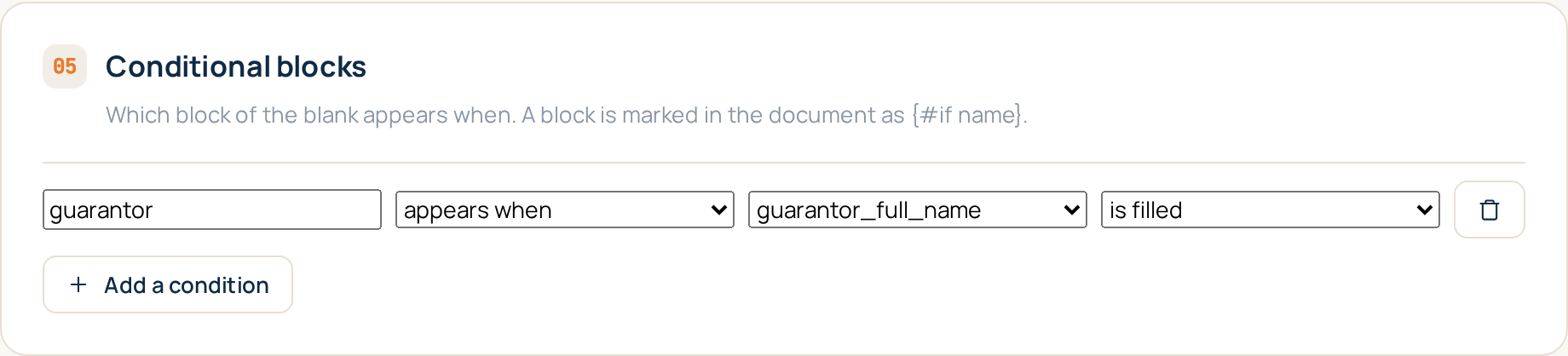
In the template editor, a block gets a rule, and a rule is dropdowns:
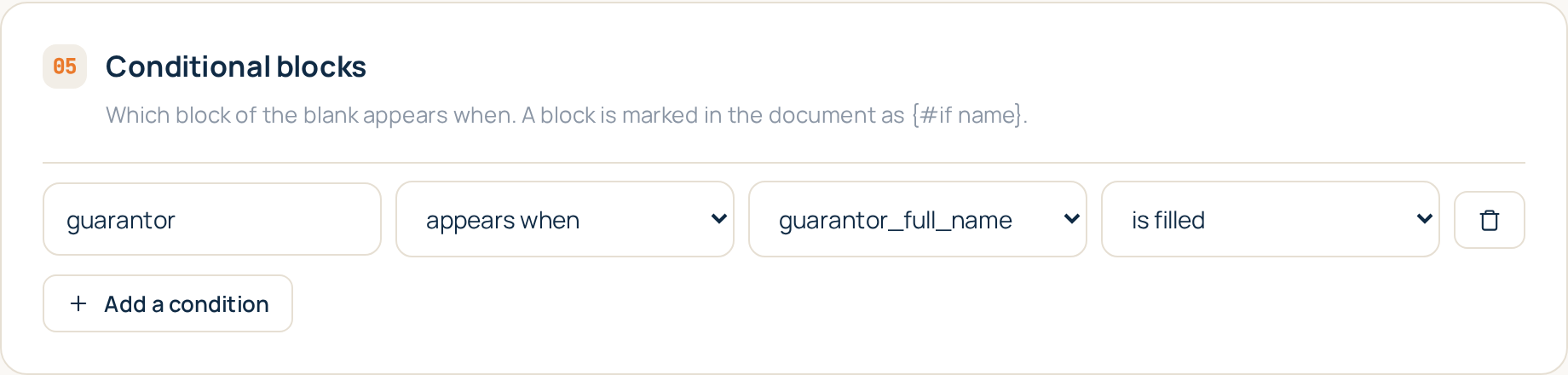
A field is filled, is empty, equals something, is greater or less than a number or a date. That is the whole language, and the restraint is the point. An office configures this once and then has to be able to explain, eleven months later, why a clause is missing from a contract somebody signed. You can explain "the guarantor field was empty". Nobody can explain a formula they wrote last spring.
A block with no rule counts as absent. A mistyped block name therefore removes a clause rather than silently keeping one, because a missing paragraph gets noticed and an extra one does not.
Repeating a section
{{#each tenants}} repeats over the scans in a slot. Three tenant documents uploaded means
the block appears three times, each filled from its own scan. One upload, three signature
blocks, no copy and paste.
Which version made this document
The other half of this release is quieter and will matter more.
Templates change. Until now a document generated in March could not be explained in September: the blank had been edited twice since, and nothing recorded that. Now anything that changes the output gives the template a new version, a snapshot of the blank, the mapping and the conditions is kept, and every document records the version it was built with. It is shown in the documents list.
Renaming a template does not move the version. A document is not a different document because somebody fixed a typo in a name.
What is next
The sixth feature is the outward-facing half: a public API, webhooks when a document is ready, exports to Google Drive and the rest, and sending a finished document for signature. DocuTract inside your existing flow rather than beside it.
The whole list is in what we are building next, and the step by step for blocks and versions is in the help centre.
Keep reading
A template from the document you already have
You do not need to mark up a contract by hand to turn it into a template. Upload a finished document, and DocuTract proposes which parts change from client to client.
A password is no longer enough
Two-factor sign-in is live. Add an authenticator app to your account, and a stolen password stops being a way into your documents. Workspace owners can require it of the whole team.